Amazon PPC Audit Checklist: 25 Checks We Run in the First 72 Hours
The short answer
An Amazon PPC audit reviews five areas in order: ad eligibility, campaign structure, search term performance, bids and placements, and reporting accuracy. Start by confirming your advertised products can serve ads. Then find wasted spend, check what you actually pay per click, and compare ad costs with your real product margins before deciding what to fix first.
Checks
25
Audit areas
5
Included
Free checklist
Free checklist download
Score your account as you read
Most audits start with ACoS. Ours start one step earlier, with whether the ads can serve at all, because a well built campaign on an ineligible ASIN still delivers nothing. Each check below tells you what to inspect, what a problem looks like, and what to do about it.
Download the 25-point Amazon PPC audit checklist to record findings, priority, owner, and fixes as you go. It includes a break-even calculator.
| Audit area | Checks | What it usually finds |
|---|---|---|
| Ad eligibility | 1 to 4 | Ads not serving because of offer eligibility, stockouts, or budgets |
| Campaign structure | 5 to 9 | Overlap and mixed goals that make performance hard to read |
| Search terms | 10 to 15 | Spend on queries that are unlikely to convert |
| Bids and placements | 16 to 20 | Real click costs above what your margin supports |
| Reporting | 21 to 25 | Decisions made on incomplete or mismatched data |
How Often Should You Audit Amazon PPC?
Frequency depends on account size and how fast performance moves. Use this as a starting point:
Weekly: search terms, new negatives, spend, and budget pacing.
Monthly: bids, placements, and results against break-even targets.
Quarterly: all 25 checks, plus whether the structure still fits your goals.
After a major change: a launch, stockout, price change, sharp ACoS swing, or a change in how Amazon reports results.
Which Reports Should You Pull Before an Amazon PPC Audit?
Use the same date range across reports so campaign data lines up with product sales. Pull the Sponsored Products search term, targeting, placement, and advertised product reports, plus Business Reports, your contribution margin per ASIN, Search Query Performance if you have Brand Analytics, and the campaign change history.
Export the search term report first. It offers a 65-day lookback window and only lists search terms that got at least one click, so its impressions won't match Campaign Manager. Save it regularly if you want a longer history.
Can Your Advertised Products Actually Serve Ads? (Checks 1 to 4)
- 1
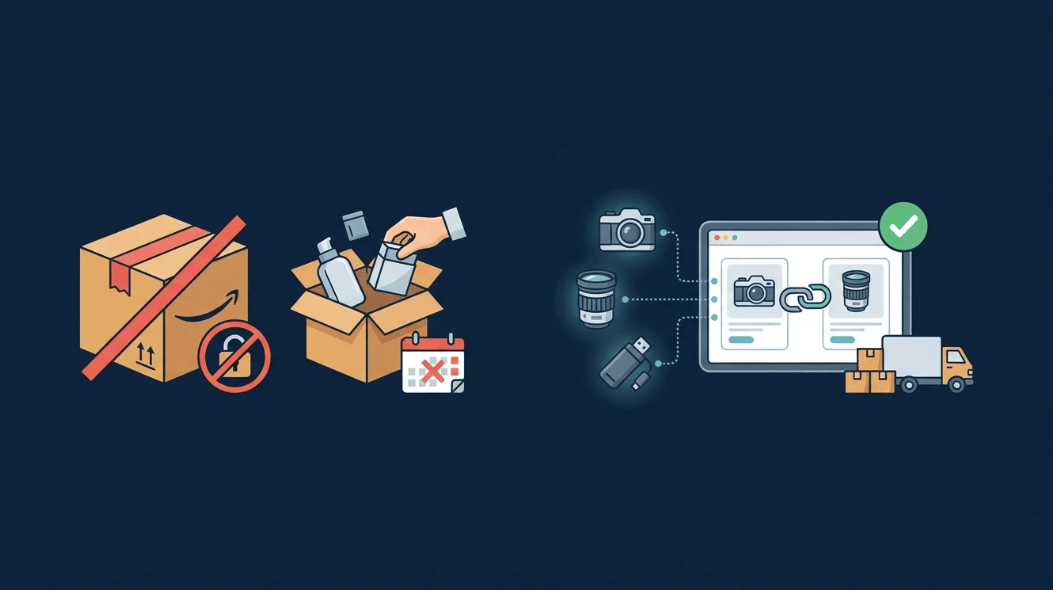
Featured Offer eligibility. Amazon requires Sponsored Products to be eligible for the featured offer. Check price competitiveness, stock, and offer condition for every advertised ASIN. If other sellers keep taking the offer, treat it as a brand protection issue.
- 2
Stock availability. Sponsored Products only serve when the item is in stock. Flag ASINs with less cover than your reorder lead time.
- 3
Listing readiness. Ads send shoppers to the detail page. A weak main image, thin bullets, or a low rating wastes clicks, so fix the page before raising bids.
- 4
Budget pacing. Amazon averages your daily budget over the calendar month and can use leftover budget from earlier days on busy ones. Look for strong campaigns that still run out of budget, and move money toward them.
Is Your Campaign Structure Making Performance Hard to Control? (Checks 5 to 9)
- 5
Naming. A campaign name should show the product, ad type, targeting, and match type. If you can't tell what a campaign does from its name, rename it.
- 6
Match type organization. Separate broad, phrase, and exact when you need different bids, budgets, or goals for each. Not every account needs separate campaigns.
- 7
Overlapping targets. The same keyword or product target in several campaigns splits data and makes budget control harder. Keep one clear owner for each target.
- 8
Ad group relevance. Products with different search intent or margins shouldn't share an ad group, because one bid can't suit both.
- 9
Branded, generic, and competitor separation. Branded terms usually convert cheaply. Mixed with generic terms, they make new customer acquisition look more profitable than it is.
How Do You Find Wasted Spend in a Search Term Report? (Checks 10 to 15)
- 10
Use the full window. Review all 65 days alongside the last 30. A short window makes low volume terms look better or worse than they are.
- 11
Investigate clicks without orders. There is no universal cutoff. A useful review trigger is twice the clicks you'd expect per order: divide 1 by your conversion rate and double it, which is 20 clicks at a 10% rate. Then weigh the spend against your margin and conversion history before you pause anything.
- 12
Compare ACoS with break-even. For targets above break-even ACoS, decide whether to lower the bid, improve the listing, or stop targeting.
- 13
Promote proven terms. Relevant terms with orders that aren't targeted yet deserve their own manual target with a suitable match type and bid.
- 14
Review ASIN entries. Automatic and product targeting can show product pages your ads appeared against as ASIN rows. Bid on the ones that convert and exclude the rest.
- 15
Audit negatives. Make sure negative exact and negative phrase targets block irrelevant traffic without blocking your own converting terms. Our Amazon negative keywords guide covers the setup.
Score your account as you read
The checklist workbook has all 25 checks with columns for finding, priority, owner, and fix, plus a break-even calculator.
Are Your Bids and Placement Adjustments Profitable? (Checks 16 to 20)
- 16
Bidding strategy. Each campaign uses fixed bids, dynamic down only, or dynamic up and down. With up and down, Amazon can raise or lower bids by up to 100%. Confirm each choice was made on purpose.
- 17
Placement adjustments. Amazon allows adjustments for top of search, rest of search, product pages, and Amazon Business of up to 900%, and they combine with audience adjustments. Compare CPC and conversion rate by placement before raising any of them.
- 18
Maximum adjusted bid. A $1 bid with a 50% placement adjustment becomes $1.50. If dynamic bidding then doubles it, the click can cost $3. Run this math on your top 20 targets.
- 19
Break-even CPC. Price times conversion rate times contribution margin. A $40 product converting at 10% with a 30% margin breaks even at $1.20 per click. Calculate margin after product cost, Amazon fees, fulfillment, and other variable costs, before advertising.
- 20
Automatic targeting groups. Close match, loose match, substitutes, and complements behave differently. Set bids and negatives for each group based on its own orders.
Are Your Amazon PPC Reports Measuring Performance Correctly? (Checks 21 to 25)
- 21
Attribution windows. Sponsored Products credits seller sales within 7 days of a click, while Sponsored Brands and Sponsored Display use 14 days. Recent days are still filling in, so compare like periods before judging.
- 22
The January 2026 attribution change. Amazon introduced a shopping-signal enhanced last-touch model on January 1, 2026, for view-attributed campaigns: Sponsored Brands, Sponsored Display billed on vCPM, and Amazon DSP in the store. Click attribution didn't change. For those campaigns, compare against "Purchases (all views)" before deciding performance fell.
- 23
TACoS trend. Divide ad spend by total sales. Rising TACoS means ad spend is growing faster than total sales. Read it alongside ACoS and total revenue to tell growth investment from falling efficiency.
- 24
Paid and organic overlap. Compare top ad terms with Search Query Performance. Strong organic share may mean a term needs less paid support, but check competition and impression share before cutting bids.
- 25
Change history and ownership. Review who changed bids, budgets, and rules. Make sure people, tools, and automation aren't overriding each other.
What Should You Fix First After an Amazon PPC Audit?
Rank findings by their effect on spend and profit:
- 1
Restore eligibility: stock, Featured Offer, and listing issues.
- 2
Stop clearly irrelevant spend: search terms, product targets, and negatives.
- 3
Correct bid exposure: placements, dynamic bidding, and break-even CPC.
- 4
Improve control: overlapping targets and budget allocation.
- 5
Repair measurement: attribution windows and TACoS tracking.
What Does This Audit Look Like on a Real Account?
When CMO took over a consumer beauty brand spending $38,000 a month on ads at a 42% ACoS, the first 30 days focused on these checks. Irrelevant spend fell 28% in that first month. Within 60 days, ACoS dropped from 42% to 24%, ad-attributed revenue grew 67%, and TACoS improved 31%. No bidding trick did that. Removing spend that was never going to convert did.
What Does CMO's Free Amazon PPC Audit Include?
Our free audit applies this checklist to your ad account and ranks the gaps by how much spend they waste. It usually arrives within 72 hours, with no obligation and no contract. If you want the fixes handled too, our Amazon PPC management team covers campaign architecture, daily bids, negative targeting, search term analysis, and reporting, month to month.
What Else Do Brands Ask About an Amazon PPC Audit?
What are the most common causes of wasted Amazon ad spend?
Irrelevant search terms, thin negative coverage, listings that don't convert, bids above break-even, oversized placement adjustments, and strong campaigns running short of budget.
How is an Amazon ads audit different from a listing audit or a seller account audit?
An ads audit covers campaigns, bids, and spend. A listing audit covers the detail page ads send traffic to. A seller account audit covers account health, inventory, and fees. A good PPC audit touches both, because weak pages and stockouts waste ad spend.
What ACoS should I aim for?
Amazon publishes no ACoS benchmark that fits every product. Start with break-even ACoS, which equals your contribution margin before ads, then set a target based on whether the product is launching, growing, or managed for profit.
Can I audit my Amazon PPC account myself?
Yes. Pull the reports, calculate break-even numbers per product, and work through the checklist. Outside help pays off when campaigns overlap heavily, attribution is complex, or a large catalog needs coordinated changes.
Do You Know Where Your Amazon Ad Spend Is Going?
A good audit shows where spend leaks and which targets can take more budget. Start with the downloadable checklist, or request a free audit and let us run it for you. To hand over the fixes as well, see our Amazon PPC management service.

William Fikhman is the founder of Chief Marketplace Officer (CMO), a fractional Amazon executive agency based in Los Angeles, California. He began selling on Amazon in 2009, scaling to $5M in year one and $20M+ within two years. Over 16 years, William has managed Amazon operations for more than 100 consumer brands, overseeing $300M+ in marketplace revenue across Seller Central and Vendor Central. He founded CMO to give consumer brands access to senior-level Amazon leadership on a fractional basis — without the cost of a full-time hire or the limitations of a traditional agency. William specializes in brand protection, distribution control, Amazon PPC strategy, and marketplace operations.
Connect on LinkedIn |
Book a consultation
Recent Posts