Amazon Listing Optimization Checklist 10 Things Most Brands Miss
A fully optimized Amazon listing covers ten elements:
✓
Title compliant with the 75-character limit and built for clicks
✓
Bullets that resolve objections, not just list features
✓
Backend search terms fully used with synonyms
✓
Main image that reads clearly at thumbnail size
✓
Secondary images that explain use cases
✓
A+ Content built around buyer questions
✓
Formatting checked in an actual mobile preview
✓
An actively managed Q&A section
✓
Review-informed objection handling
✓
Readiness for AI-mediated discovery through Alexa for Shopping
Most listings are missing at least three of these, and rarely the ones the brand assumes.
Why Amazon Listing Optimization Matters in 2026
Most brands do not have a traffic problem first. They have a conversion problem, and advertising spend just makes the leak more expensive.
Amazon listing optimization affects four things simultaneously: organic ranking, advertising efficiency, conversion rate, and buyer trust. ACoS is a ratio, and conversion rate is the denominator. A listing converting at 5% instead of 8% is not a small issue sitting beside your advertising strategy. It is the reason that strategy looks worse than it should.
Listings are not static assets built once at launch. Amazon's product page style guides get revised, category requirements shift, and buyer language changes as new search terms enter a category. A listing optimized a year ago is not automatically still optimized today. This is especially true after 2026's structural changes to product titles, covered in the first checklist item below. Structured Amazon listing optimization treats every item on this list as a recurring audit, not a launch-day checkbox.
The 10 Things Most Brands Miss
1. A Title Written for Clicks, Not Just Keywords
This is the highest-leverage item on this checklist, and it changed dramatically in 2026. Amazon announced on June 10, 2026, that titles in most categories would be capped at 75 characters, down from the previous 200-character allowance, with enforcement beginning July 27, 2026.
Titles that exceed the new limit, repeat keywords, or use disallowed promotional language are now auto-edited by Amazon's own AI. The rewrite draws on Amazon's relevance model, your backend search terms, and your bullet points. Brand Registry-enrolled sellers get a 14-day window to review and approve or reject that rewrite before it goes live. Sellers without Brand Registry do not get that window at all.
The old approach of packing every keyword variant into the title is no longer just outdated. It is risky, because a non-compliant title left unaddressed becomes a title Amazon rewrites for you, without your brand voice or your intended keyword priority.
Quick Check
✓
Title is 75 characters or fewer
✓
Leads with the primary keyword and product type
✓
Supporting detail moved into Item Highlights
✓
Reads naturally when spoken aloud
✓
Brand Registry review window checked if applicable
2. Bullets That Answer Objections, Not Just List Features
A bullet that states a spec without connecting it to a buyer concern is doing half its job. "Stainless steel construction" is a feature. "Won't rust or absorb odors after months of daily use" is the objection that feature resolves, actually.
Most brands write bullets from the product's perspective rather than the buyer's hesitation, and that gap shows up directly in conversion rate. Each of the five bullet slots should handle one distinct objection or use case. A listing where three bullets restate the same benefit in different words has effectively wasted three-fifths of its bullet real estate on repetition instead of coverage.
Quick Check
✓
Each bullet resolves a distinct objection or use case
✓
No two bullets restate the same benefit
✓
Written in language pulled from actual reviews, not internal copy
✓
Leads each bullet with the outcome, not the spec
3. Backend Keywords With Synonyms and Missed Terms
Backend search terms are invisible to buyers and consistently underused. This field exists to capture synonyms, alternate spellings, and secondary use cases that would clutter the visible title and bullets.
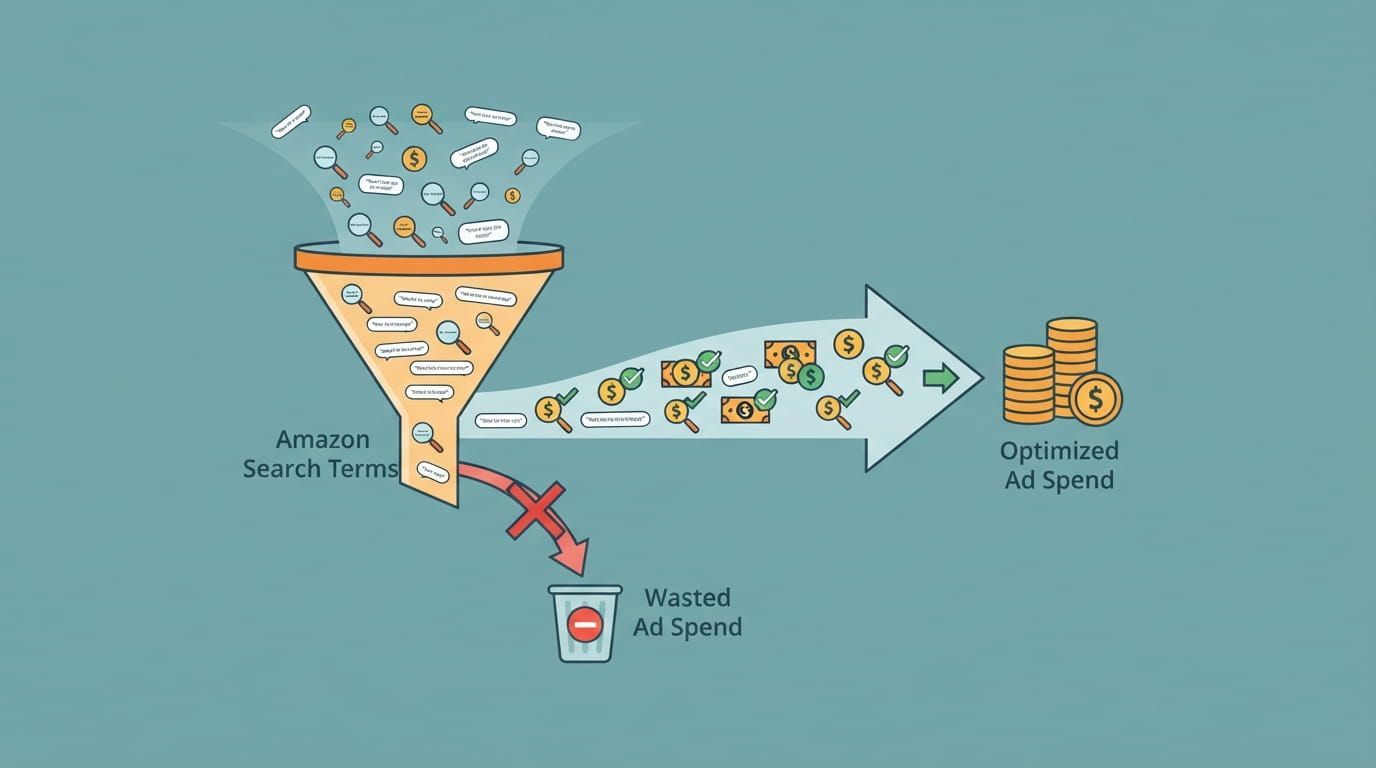
The field carries a strict byte limit, and Amazon ignores terms beyond that limit rather than truncating gracefully. Every byte should carry a term not already covered elsewhere in the listing. The most common miss is a backend field populated once at launch and never revisited, even as new buyer search language accumulates in Search Query Performance data month after month.
Quick Check
✓
Field used close to the full byte limit
✓
No terms duplicated from title or bullets
✓
Common misspellings and synonyms included
✓
Reviewed against Search Query Performance in the last 90 days
4. Main Image Clarity
The main image is evaluated by Amazon's compliance systems and by a human scanning a results grid at the same time. It needs a pure white background, no overlaid text, badges, or watermarks, and the product needs to be identifiable and clear at thumbnail size, not just at full zoom.
A main image that is technically compliant but visually unclear in a small results grid is losing clicks before a buyer ever reaches the product page. This is one of the easiest checklist items to verify and one of the most commonly skipped, because most reviews happen on a full-size desktop preview rather than the compressed thumbnail size buyers actually scroll past.
Quick Check
✓
Pure white background, no props or lifestyle elements
✓
No text, logos, watermarks, or badges
✓
Product clearly identifiable when shrunk to thumbnail size
✓
Meets current resolution requirements for zoom
5. Secondary Images That Explain Use Cases
Most secondary image stacks show the product from four angles and stop there. A stronger stack answers a different buyer question in each frame: a scale or size comparison, the product in an actual use context, a callout addressing a specific question that recurs in reviews, and a comparison or specification graphic.
Quick Check
✓
At least one image shows scale or size in context
✓
At least one image shows the product in real use
✓
One image addresses a common review question directly
✓
No two images repeat the same information
6. A+ Content That Moves the Buyer Forward
A+ Content built around generic brand messaging rather than buyer objections is one of the most common and most expensive misses on this list, because A+ occupies the highest-visibility real estate below the fold. Every module should answer a specific question a real buyer has asked, sourced from reviews, Q&A, or customer service history, rather than opening with a brand origin story a consideration-stage buyer did not ask for.
Brand Registry sellers can validate module choices with Manage Your Experiments, testing A+ Content variants against live traffic instead of guessing which version converts better.
Quick Check
✓
First module addresses a buyer objection, not brand history
✓
Each module answers a question sourced from reviews or Q&A
✓
Brand storytelling appears later in the sequence, not first
✓
Tested via Manage Your Experiments where eligible
7. Mobile Readability and Truncation Beyond the Title
The 2026 title change addressed one truncation problem, but it is not the only one. Bullet points display differently on mobile, often collapsing after the first line or two before a shopper taps to expand. A+ modules that look balanced in a desktop preview can stack awkwardly or crop critical text on a phone screen.
Since the majority of Amazon browsing happens on mobile, every listing element needs to be checked in an actual mobile preview, not just the desktop editing view where most listings get built and approved.
Quick Check
✓
Bullets checked in mobile view, not just desktop
✓
A+ modules previewed on an actual phone screen
✓
No critical information cropped or hidden on mobile
✓
Item Highlights display checked separately from the title
8. Q&A Section Optimization
The Customer Questions and Answers section is one of the most neglected parts of a listing. A question that appears repeatedly and goes unanswered, or is answered vaguely by another shopper instead of the brand, signals to every future visitor that this listing has an unresolved gap.
Any question recurring often enough to appear in Q&A should also be answered directly in the bullets or A+ Content, since most shoppers never scroll far enough to read the Q&A section at all.
Quick Check
✓
No unanswered recurring question sitting in Q&A
✓
Frequent questions pre-answered in bullets or A+
✓
Brand-verified answers used where possible, not shopper guesses
✓
Reviewed at least monthly for new recurring questions
9. Review Mining for Objections
Reviews contain the exact language buyers use to describe what they love and what confused them, and most brands never systematically extract it. A recurring positive theme that never made it into the bullets is a missed conversion argument. A recurring complaint about sizing, compatibility, or a missing feature is an objection the listing should resolve proactively, rather than letting each new buyer discover the same problem independently.
Structured Amazon SEO services treat review themes as a direct input into keyword and copy strategy, not a customer service task filed away in a separate spreadsheet nobody revisits.
Quick Check
✓
Last 20 to 50 reviews reviewed within the current quarter
✓
Recurring praise reflected somewhere in the bullets
✓
Recurring complaint addressed in copy or A+ Content
✓
Findings shared with the PPC and creative teams, not siloed
10. Rufus and AI Readiness
Amazon merged its Rufus shopping assistant into Alexa for Shopping in May 2026, and a meaningful share of queries now arrive as natural-language questions rather than literal keyword searches. Listings with complete attribute fields, specific bullet content, and A+ Content that reads as informational rather than purely promotional are better positioned to be represented accurately when a shopper asks a conversational question.
A listing built entirely around exact-match keyword logic, with thin attribute data and vague copy, is increasingly working against how a growing share of buyers now research products before they ever type a traditional search query.
Quick Check
✓
Product attribute fields fully completed, not left blank
✓
Bullets read as natural sentences, not keyword strings
✓
A+ Content answers questions rather than only promoting
✓
Backend terms include conversational phrasing, not just fragments
Bonus: What Not to Do
A few habits actively undermine every fix above.
❌ Stuffing keywords into the title or bullets in a way that breaks natural sentence structure, which now also raises compliance risk under the 2026 title enforcement rules.
❌ Repeating the same benefit across multiple bullets instead of using each slot to cover a distinct objection.
❌ Ignoring reviews as a source of copy and keyword direction, treating them as a customer service function disconnected from listing strategy.
❌ Reusing manufacturer or supplier copy verbatim, which is rarely written for conversion and often duplicates language already live on competing listings.
❌ Leaving backend terms static after launch, even as new buyer search language accumulates in Search Query Performance month after month.
❌ Designing and approving copy on desktop only, never checking bullets, A+ modules, or Item Highlights in an actual mobile preview before publishing.
How to Run a Listing Audit in 30 Minutes
Minutes 0 to 5: Title and Compliance
Quick Check
✓
Confirm the title is 75 characters or fewer
✓
Confirm it leads with the primary keyword
✓
Confirm Item Highlights are populated with supporting detail
Minutes 5 to 10: Bullets and Objections
Quick Check
✓
Read each bullet and identify which objection it resolves
✓
Flag any bullet restating a benefit already covered elsewhere
✓
Confirm language matches how buyers actually describe the product in reviews
Minutes 10 to 15: Images
Quick Check
✓
Review the main image at thumbnail size, not full zoom
✓
Confirm the secondary image stack covers scale, use case, and a common question
✓
Check the full stack in mobile preview
Minutes 15 to 20: A+ Content and Backend Terms
Quick Check
✓
Confirm the first A+ module addresses a buyer question, not brand history
✓
Confirm backend terms are near the byte limit with no duplication
✓
Preview A+ Content on mobile
Minutes 20 to 25: Q&A and Reviews
Quick Check
✓
Scan Q&A for any unanswered recurring question
✓
Skim the most recent 20 reviews for a theme the listing doesn't address
Minutes 25 to 30: PPC Alignment
Quick Check
✓
Pull the best-converting keywords from current Amazon PPC management
data
✓
Confirm those exact keywords appear naturally in the listing copy, not just in the ad campaign
Get a Free Amazon Listing Audit
Most listings are missing at least three items on this checklist, and rarely the ones the brand expects. A structured audit identifies exactly which ones, ranked by revenue impact.
What Brands Ask About Amazon Listing Optimization
| What is Amazon listing optimization? |
| Improving every product detail page element, including the title, bullets, images, A+ Content, and backend search terms, to improve organic ranking, click-through rate, and conversion rate. It is ongoing, not a one-time launch task. |
| How often should I update my Amazon listing? |
| A full audit every 60 to 90 days is a reasonable baseline, with immediate review whenever Amazon changes a policy, such as the 2026 title limit, or when search term data shifts meaningfully. |
| Do backend keywords still matter? |
| Yes. They expand which queries a listing is eligible to appear for, capturing synonyms and secondary terms that would clutter the visible copy. Terms beyond the byte limit are not indexed. |
| Does A+ Content help conversion? |
| Yes, when built around buyer objections and use cases rather than generic brand storytelling. A+ Content that answers real questions from reviews and Q&A closes gaps bullets can't fully cover. |
| What is the most important part of an Amazon listing? |
| The title, since it affects both indexing and first impression, and it's the element most directly reshaped by 2026's character limit enforcement. A strong title with weak bullets or images will still underperform. |

William Fikhman is the founder of Chief Marketplace Officer (CMO), a fractional Amazon executive agency based in Los Angeles, California. He began selling on Amazon in 2009, scaling to $5M in year one and $20M+ within two years. Over 16 years, William has managed Amazon operations for more than 100 consumer brands, overseeing $300M+ in marketplace revenue across Seller Central and Vendor Central. He founded CMO to give consumer brands access to senior-level Amazon leadership on a fractional basis — without the cost of a full-time hire or the limitations of a traditional agency. William specializes in brand protection, distribution control, Amazon PPC strategy, and marketplace operations.
Connect on LinkedIn |
Book a consultation
Recent Posts