Amazon Automate Pricing Tool How It Works, Rules, Pricing & Setup
Amazon Automate Pricing is Amazon's built-in, free pricing automation tool for Professional sellers, found in Seller Central under Pricing, then Automate Pricing. Instead of changing prices by hand, you create pricing rules that tell Amazon when and how to adjust a product's price, for example to stay competitive with a reference price, always within a minimum price you set and an optional maximum. When a pricing event happens, such as a change in the Featured Offer (Buy Box) price, the tool adjusts your price automatically within those limits. It is a strong starting point for competitive pricing, though it is less nuanced than dedicated third-party repricing software.
Manual pricing on Amazon is a losing race: you undercut a competitor, they undercut you, a third seller drops below both, and you have changed the same price six times before lunch. Amazon's Automate Pricing tool exists to take that loop off your desk. Amazon's own documentation describes it as a free tool that adjusts your prices in real time based on rules you choose. What most guides leave out is the part that actually matters: how those rules translate into the price a shopper sees, and where the native tool stops and a dedicated repricer begins.
This guide explains what Amazon Automate Pricing is, how it works, how to set it up, how the rules and price limits behave, what it costs, and when it is enough versus when you need more.
What Is Amazon Automate Pricing?
Amazon Automate Pricing is a native Seller Central feature that automatically adjusts your product prices according to rules you configure, rather than requiring you to change prices manually. It is available to sellers on a Professional selling plan, and you access it from the Seller Central main menu under Pricing, then Automate Pricing.
The problem it solves is time and responsiveness. On a marketplace where price is a major factor in which offer wins the Featured Offer placement, a static price left unchanged can quietly lose sales as competitors move around you. Automate Pricing responds to pricing events on your behalf, around the clock, so your listings stay competitive without you monitoring them all day. The key difference from manual pricing is that you set the strategy once, as a rule, and the tool executes it continuously, instead of you reacting to each competitor change one listing at a time.
How Does Amazon Automate Pricing Work?
The tool works through a simple chain: you create a rule, apply it to specific SKUs, set your price limits, and Amazon adjusts the price automatically when a triggering event occurs. In practice the flow is: create a pricing rule, define the pricing condition, set a minimum and optional maximum price, select the products the rule applies to, and start repricing. From then on, the tool monitors data points including competitor prices, the Featured Offer price, your sales performance, and market trends, and moves your price within your limits in near real time when something changes.
A simple example makes it concrete. Say you sell a product at $29.99 and create a competitive rule with a minimum price of $24.99. A competing offer drops to $27.99. Under a rule set to stay competitive, Automate Pricing lowers your price toward that reference, but never below your $24.99 floor. If the reference price later rises or competitive conditions change, an appropriately configured rule can also move your price upward within its applicable boundaries, recapturing margin you would have lost by pricing low manually and forgetting to change it back. The rule does the reacting; your minimum keeps it from reacting into a loss.
How to Set Up Amazon Automate Pricing
Setting up the tool is straightforward, though the exact Seller Central labels can change, so confirm the current interface as you go.
- Log in to your Professional Seller Central account.
- From the main menu, select Pricing, then Automate Pricing.
- If it is your first time, select Get Started; otherwise choose to create a new pricing rule.
- Choose a predefined rule or create a custom rule that fits your goal, and name it.
- Define the pricing strategy, such as pricing below, at, or above a reference price.
- Set your minimum price (required) and an optional maximum price.
- Select the SKUs the rule applies to, one at a time or in bulk.
- Review the rule, then select Start repricing to activate it.
- Monitor results using Automate Pricing's 30-day price change history alongside your Seller Central business reports.
The review step matters. Because the minimum price is the guardrail that keeps automation from pricing you into a loss, it should be calculated from your real costs before you activate anything.
Amazon Automate Pricing Rules
Rules are the core of the tool, and they are where most sellers either get real value or get burned. A rule defines the conditions under which Amazon adjusts a product's price. Without a rule assigned to a SKU, nothing changes; the tool only acts on the products and rules you specify. Amazon offers predefined rules you can use as-is and the option to build custom rules. Availability can vary by marketplace and account, so confirm which rules your account offers.
Competitive Pricing Rules
These respond to reference prices from other offers, letting you price relative to them. Current options include Competitive Featured Offer (price against the current Featured Offer), Competitive Lowest Price (price against the lowest offer), and Competitive External Price (price against a reference price from outside Amazon).
Sales-Based Rules
These respond to your own sales activity rather than a competitor. A rule Based on Sales Units, for example, can adjust price to help move inventory toward a sales target over a period.
Business Pricing Rules
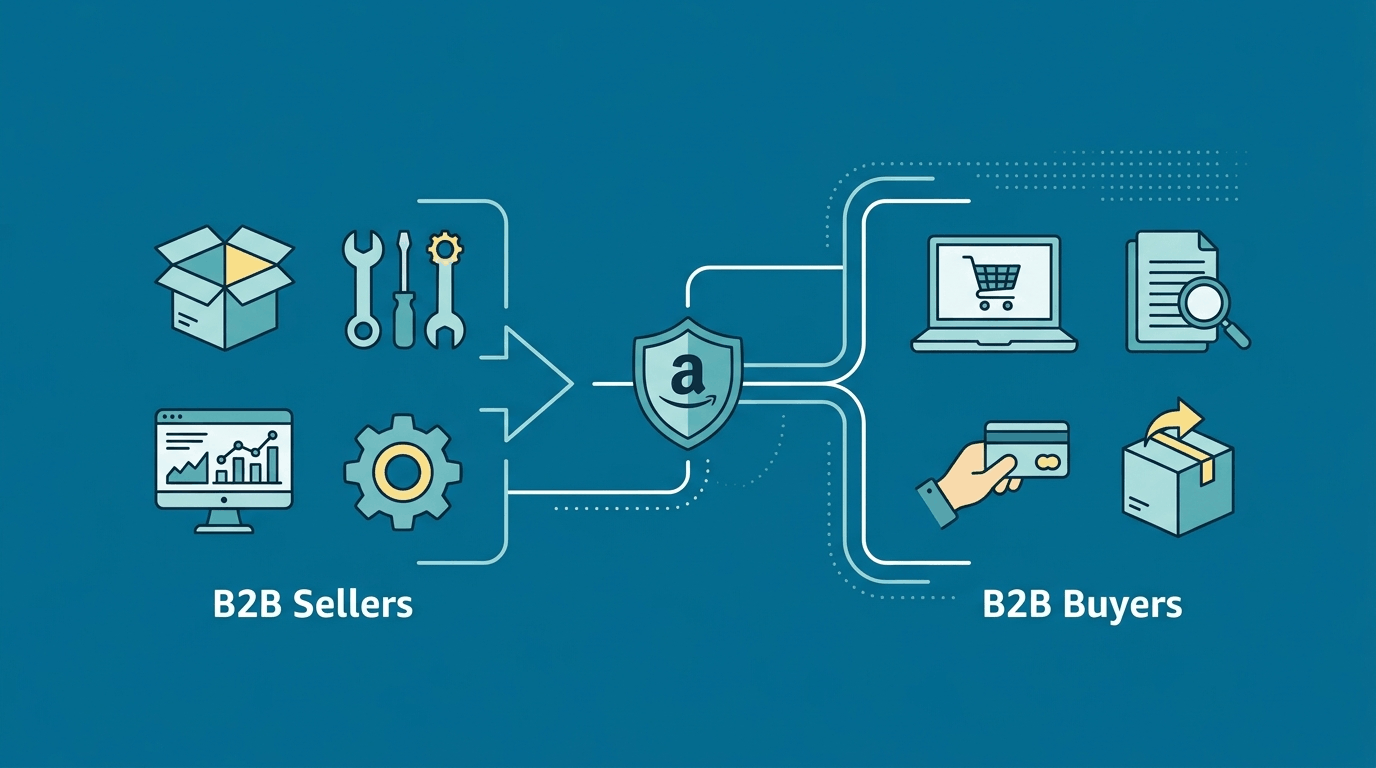
For B2B sellers, business rules handle business-buyer pricing, including a Business Competitive Featured Offer rule and Business Price and Quantity Discounts, which keep business prices and tiered discounts aligned with your standard prices as those change.
Amazon also describes some Automate Pricing strategies more broadly as demand-based pricing, but the specific rules available in Seller Central determine what your account can actually automate. The practical point is to match the rule to the outcome you want: a Competitive Featured Offer rule behaves very differently from a sales-based rule meant to clear inventory, and applying the wrong one across a catalog is a common way sellers end up pricing lower than they intended.
Minimum and Maximum Prices
This deserves its own section because the price limits are what stand between automation and a margin disaster. The minimum price is required, and the maximum is optional but strongly recommended.
| Setting | Example |
|---|---|
| Current price | $29.99 |
| Minimum price | $24.99 |
| Maximum price | $34.99 |
| Competitor price | $27.99 |
| Automated price | Adjusted by the rule, within $24.99 to $34.99 |
Your minimum price should never be a round number you picked by feel. Calculate it from your landed product cost, Amazon referral and fulfillment fees, and the minimum margin you need to stay in business, then set the floor above that. A maximum price gives the rule an additional upper boundary; if you do not set one, Amazon may apply its own pricing safeguards. Your minimum and maximum should therefore reflect the range in which you are actually willing to sell rather than arbitrary round numbers. Setting these boundaries thoughtfully is the single most important thing you do in the whole setup.
Is Amazon Automate Pricing Free?
Yes. Amazon Automate Pricing is free to use for sellers on a Professional selling plan; there is no separate subscription for the tool itself. What you still pay are Amazon's normal selling costs, the Professional plan's monthly fee, referral fees, and fulfillment fees, none of which are specific to Automate Pricing. The contrast worth understanding is with third-party repricing software, which typically charges a monthly subscription on top of your Amazon fees. That cost buys more advanced strategy and analytics, covered below, but the native tool's price of zero is a genuine advantage for many sellers, especially those starting with automation.
How Automate Pricing Handles the Featured Offer
The Featured Offer, still widely called the Buy Box, is the prominent placement on a product page with the Add to Cart and Buy Now buttons, and it drives the large majority of sales. Automate Pricing is designed to improve your chances of winning it by keeping your price competitive as reference prices move.
It is important to be accurate about what the tool does and does not do. Competitive pricing can improve your chances of becoming the Featured Offer, but Automate Pricing does not guarantee it. Amazon also considers factors such as inventory availability, fulfillment, and customer-service performance when selecting the Featured Offer. Automate Pricing helps you compete on the price dimension automatically; it does not decide the Featured Offer on its own.
Pros and Cons of Amazon Automate Pricing
Strengths. It is native to Amazon and free on the Professional plan, it removes the manual work of watching competitors and editing listings, it responds around the clock within your limits, and it is an accessible starting point for sellers new to pricing automation.
Limitations. Its strategy options are more limited than dedicated repricing platforms, and its default behavior tends toward lowering price to stay competitive, which is good for winning the Featured Offer but not automatically good for profit. It does not remove the need for a real pricing strategy; you still have to set profitable boundaries, and automation executes your judgment rather than replacing it.
Automate Pricing vs Manual Pricing
Manual pricing gives you direct control over every price change but requires ongoing monitoring. Automate Pricing continuously applies your rules to enrolled SKUs within the boundaries you set. Manual pricing can still make sense for products with deliberate, infrequent price changes, while automation is more practical when competitive prices change regularly.
Amazon Automate Pricing vs Third-Party Repricers
Automate Pricing and third-party repricing software are related but not the same. The native tool handles rules-based repricing inside Amazon; dedicated repricers add strategy depth, analytics, and often multi-marketplace support for a subscription.
| Feature | Amazon Automate Pricing | Third-Party Repricer |
|---|---|---|
| Native Amazon integration | Yes | Via API connection |
| Automated pricing | Yes | Yes |
| Pricing rules | Predefined and custom | Typically more advanced |
| Advanced strategies | Limited | Algorithmic and profit-based |
| Competitor targeting | Reference-based | Often like-for-like sellers |
| Analytics | Basic, 30-day history | Usually more detailed |
| Multi-marketplace | Amazon | Often multiple channels |
| Subscription | Free on Professional plan | Yes |
This is not a case of one being universally better. A seller with a modest catalog who wants to stop manually chasing the Featured Offer is well served by the free native tool. A seller running thousands of SKUs, competing against specific sellers, or optimizing for profit rather than just competitiveness will often outgrow it and benefit from a dedicated platform. For the broader landscape, our guide to the best Amazon repricing tools compares the options.
Amazon Automate Pricing Mistakes and Best Practices
A few disciplines separate sellers who profit from automation from those who quietly erode their margins. Each of these is a common mistake with its fix:
- Setting an unprofitable minimum: calculate landed cost, Amazon fees, and required margin before you set the floor.
- Using one rule across unsuitable SKUs: pricing objectives differ by product, so match the rule to each product's goal.
- Competing only on price: listing quality, fulfillment, inventory, and seller performance also affect sales and the Featured Offer.
- Ignoring cost changes: review rules when fees, cost of goods, or fulfillment costs change, or a floor set last quarter can turn unprofitable.
- Automating the entire catalog immediately: test rules on a smaller SKU group first, then expand once you trust the behavior.
Not competing on price alone is worth its own note: a stronger listing lets you win without racing to the bottom, which is why we pair pricing with Amazon SEO and listing optimization. Pricing is one lever in overall Amazon profitability, alongside advertising efficiency, listing quality, and inventory strategy. When it is managed as part of the whole account rather than in isolation, it protects margin instead of eroding it, which is the approach behind our full service management.
Automation Executes Your Strategy. It Does Not Replace It.
This guide covers how the tool works and how to set it up safely. Managing pricing rules across a full catalog, alongside ads and listings, is the part worth handing off.
Want Pricing Automation That Protects Margin Instead of Racing to the Bottom?
Amazon's free tool is a strong start, but rules set without margin discipline can quietly cost you. We set up and manage pricing alongside your advertising and listings so every price traces back to profit, not just competitiveness.
Frequently Asked Questions About Amazon Automate Pricing
| What is the Amazon Automate Pricing tool? |
| It is Amazon's native, free pricing automation feature for Professional sellers, found in Seller Central under Pricing, then Automate Pricing. It automatically adjusts your product prices according to rules you set, within a minimum and optional maximum price, so you do not have to change prices manually to stay competitive. |
| How does Amazon Automate Pricing work? |
| You create a pricing rule, apply it to specific SKUs, and set price limits. The tool then monitors data points like competitor prices, the Featured Offer price, and your sales performance, and adjusts your price automatically within your limits when a pricing event occurs. Products without an assigned rule are not changed. |
| Is Amazon Automate Pricing free? |
| Yes, it is free to use with a Professional selling plan, with no separate subscription for the tool. You still pay Amazon's standard costs, the Professional plan fee, referral fees, and fulfillment fees, but none of those are specific to Automate Pricing. |
| How do I set up Amazon Automate Pricing? |
| In Seller Central, go to Pricing, then Automate Pricing, and select Get Started or create a new rule. Choose a predefined or custom rule, set your pricing strategy, set a required minimum and optional maximum price, select your SKUs, review, and start repricing. Then monitor the 30-day history and your business reports. |
| What are Amazon Automate Pricing rules? |
| Rules are the conditions that tell Amazon when and how to change a product's price. They include competitive rules such as Competitive Featured Offer, Competitive Lowest Price, and Competitive External Price, sales-based rules like Based on Sales Units, and business rules for B2B pricing. You can use Amazon's predefined rules or build custom ones, and availability can vary by account and marketplace. |
| Can Amazon Automate Pricing lower my price? |
| Yes. Many rules are designed to lower your price to stay competitive, which is why the minimum price is required. As long as your floor is set correctly from your costs and margin, the tool will not price below it, and an appropriately configured rule can also move your price back up within your range when competitive pressure eases. |
| Does Amazon Automate Pricing help win the Buy Box? |
| It can improve your chances by keeping your price competitive, since competitive pricing is a factor in becoming the Featured Offer (Buy Box). It does not guarantee it, because Amazon also weighs factors such as inventory availability, fulfillment, and customer-service performance. |

William Fikhman is the founder of Chief Marketplace Officer (CMO), a fractional Amazon executive agency based in Los Angeles, California. He began selling on Amazon in 2009, scaling to $5M in year one and $20M+ within two years. Over 16 years, William has managed Amazon operations for more than 100 consumer brands, overseeing $300M+ in marketplace revenue across Seller Central and Vendor Central. He founded CMO to give consumer brands access to senior-level Amazon leadership on a fractional basis — without the cost of a full-time hire or the limitations of a traditional agency. William specializes in brand protection, distribution control, Amazon PPC strategy, and marketplace operations.
Connect on LinkedIn |
Book a consultation
Recent Posts